Tidy app icon

Free up gigabytes on your Mac

Tidy finds what Xcode, simulators and developer tools leave behind — DerivedData, device support, npm, Homebrew, Gradle and more — and clears it safely.

Download on the Mac App Store

For macOS 13 Ventura and later · No account · No tracking
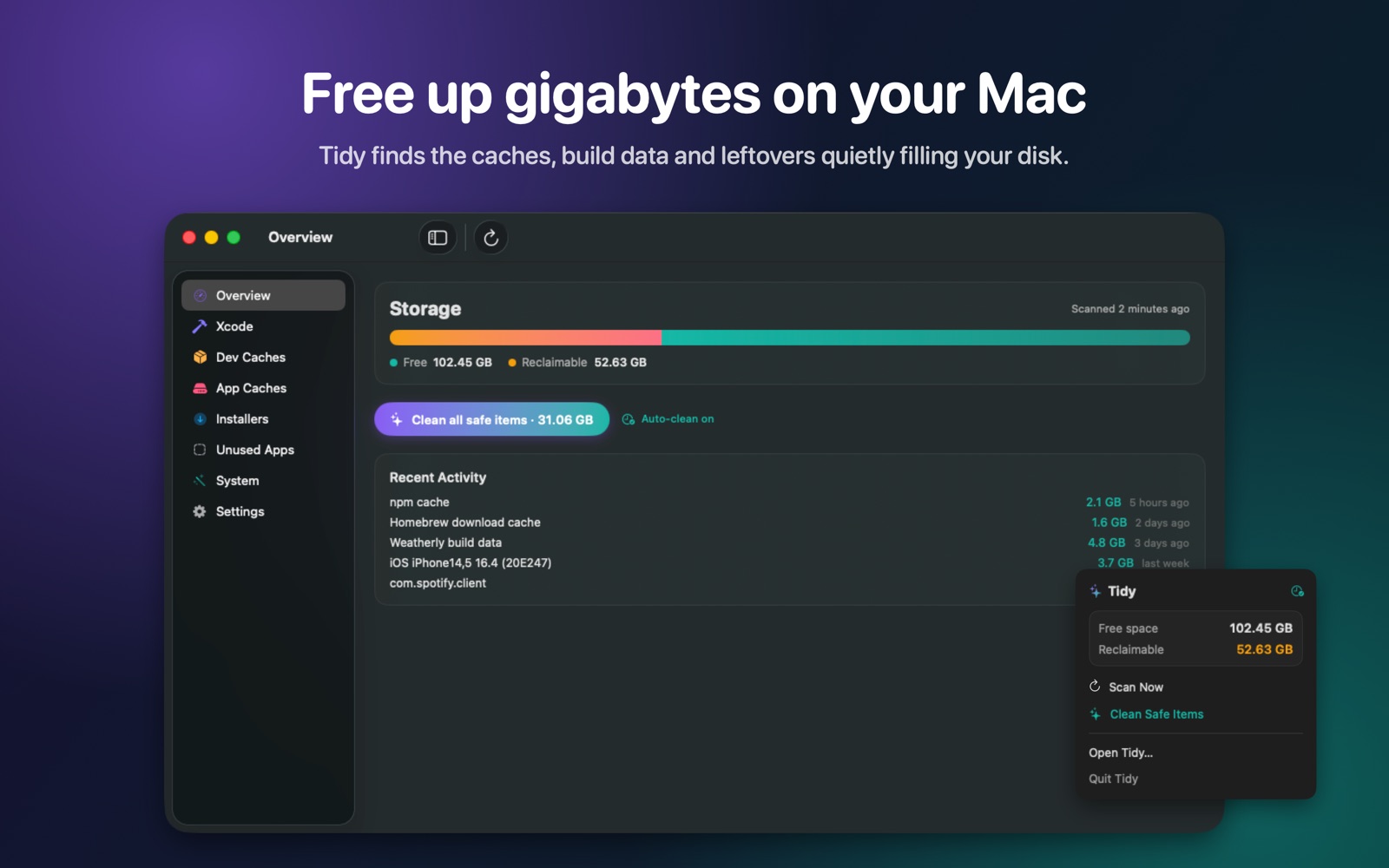
Tidy overview showing 52 GB reclaimable and a Clean all safe items button

Built for developers' Macs

General cleaners miss the biggest offenders on a developer's disk. Tidy knows where they live.

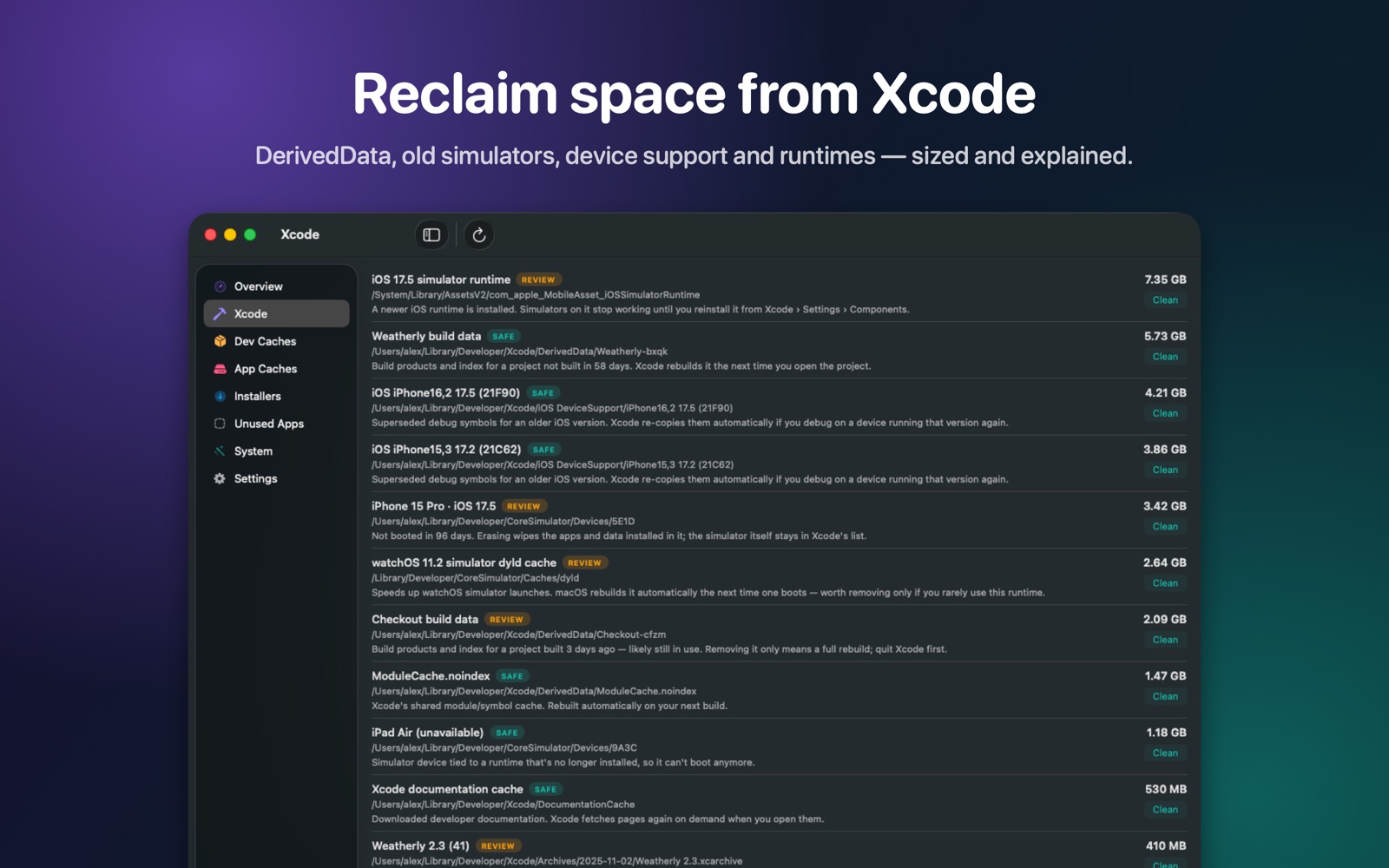
Xcode

Stale DerivedData, superseded device support, archives and the documentation cache.

Simulators

Unused runtimes, simulators you haven't booted in months, and their dyld caches.

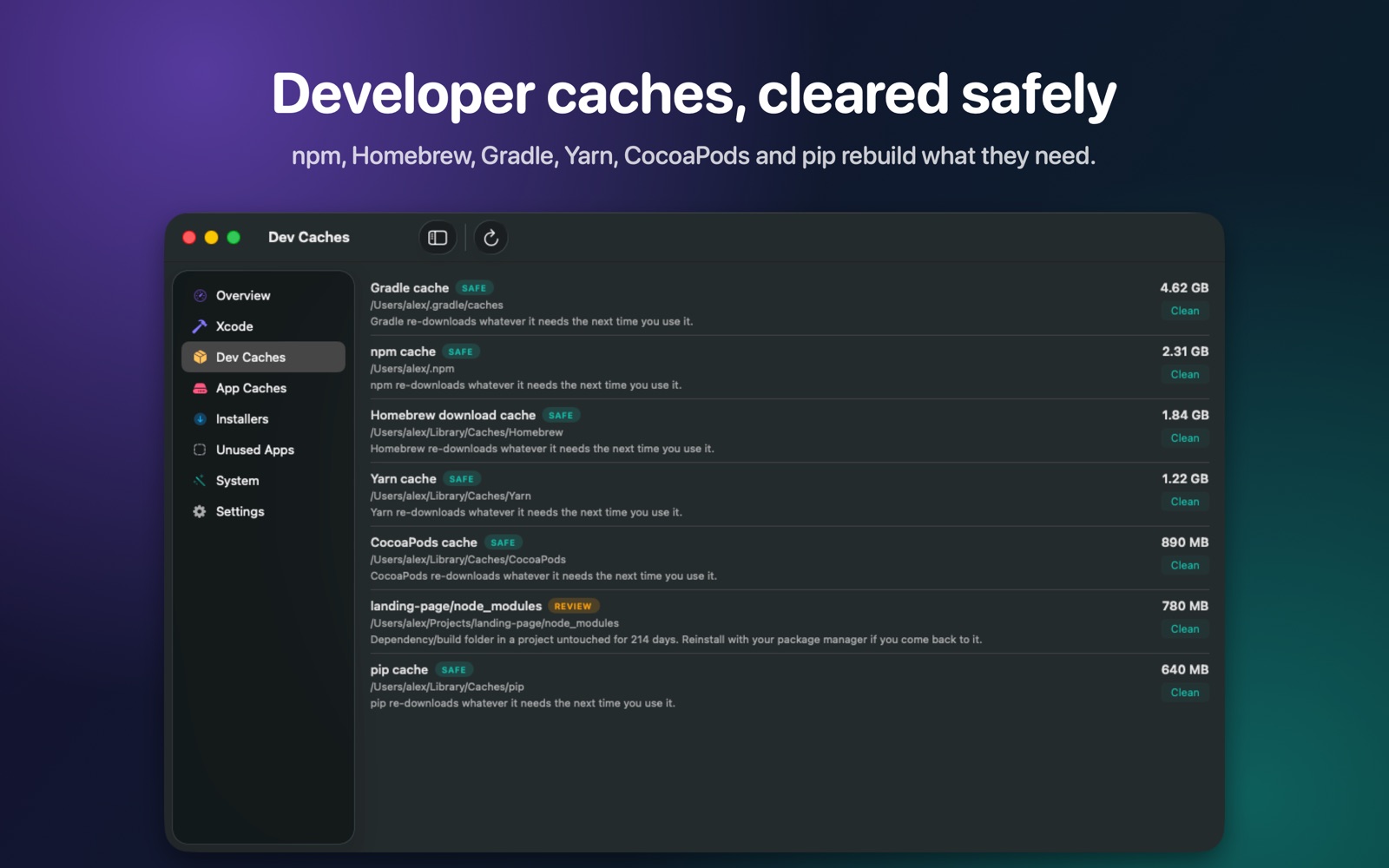
Developer caches

npm, Yarn, pnpm, Homebrew, Gradle, Maven, CocoaPods, pip and SwiftPM.

Everything else

Large app caches, leftovers from uninstalled apps, forgotten installers and apps you never open.

Safe by design

Tidy tells you what each item is and what removing it costs — before you click anything.

SAFERebuilt automatically by its tool. One click cleans them all, or schedule it.

REVIEWProbably fine to remove, but costs a re-download or rebuild — Tidy waits for you.

MANUALOwned by macOS or another app — Tidy shows you the right way to free it.

Undo-friendly

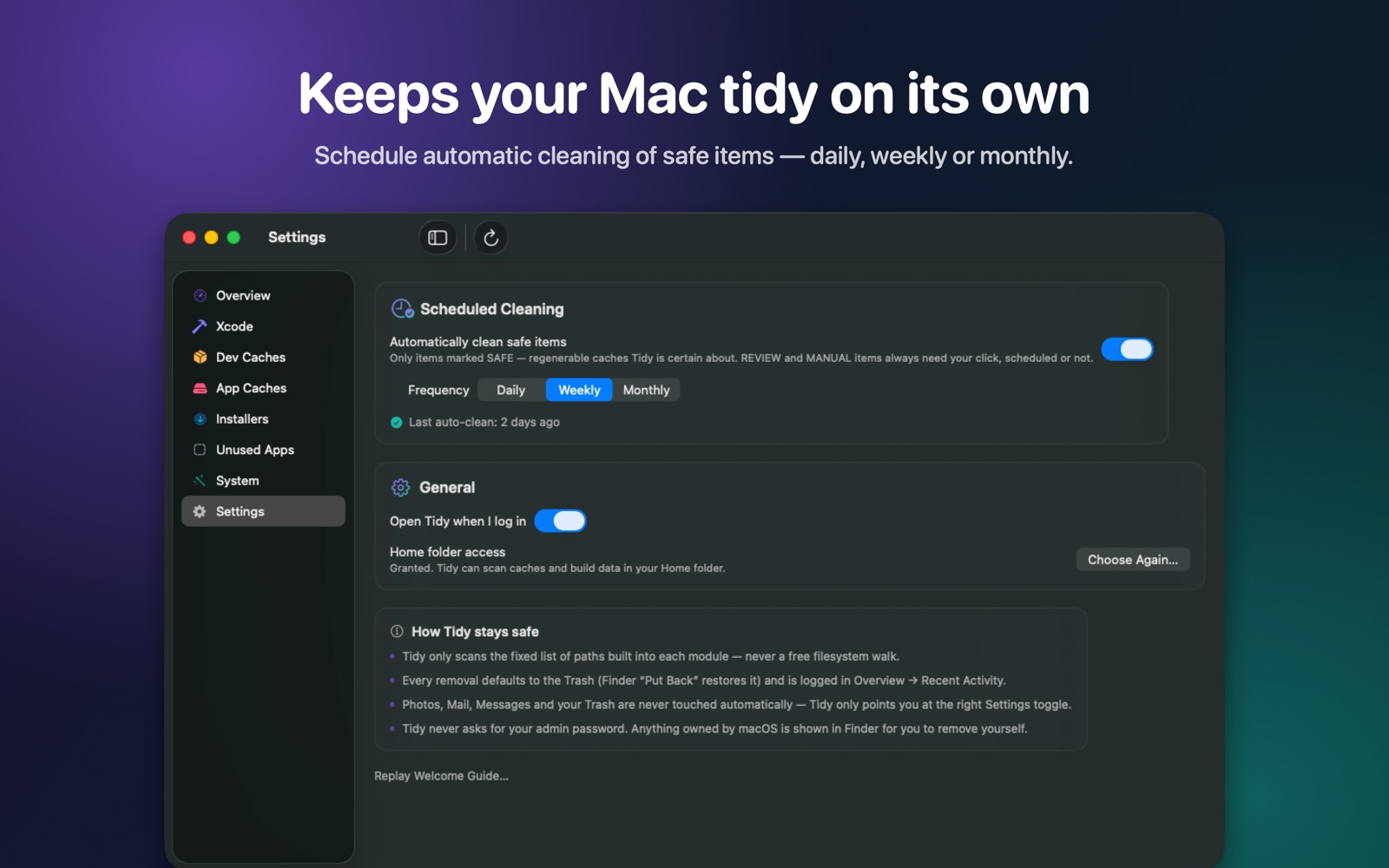
Removals go to the Trash, so Finder's "Put Back" restores them. Every action is logged.

See it in action

A native SwiftUI app that lives in your menu bar.

Your files stay on your Mac

Tidy makes no network requests and collects no data. It scans only a fixed list of known cache and build locations.

Get Tidy