Text Scanner

Available on iPhone

Scan only what
you frame.

Point your camera at any text, drag the focus box over exactly what you need, and copy it in one tap. Entirely on-device. No account. No internet.

⊙ Capture Text

Copying text with your iPhone
shouldn't be this painful.

You spot something you want to copy. Your iPhone is right there. And yet what follows is a six-step nightmare that ends in frustration more often than not.

✕ The old way (iOS Camera)
📷
Take a photoHope the text is in focus, properly lit, and not at an angle.
🖼️
Open the photo in PhotosSwitch apps. Find the photo. Open it.
👆
Long press and pray it's not a Live PhotoLive Photos don't show the Text button. Start over.
📝
Wait for the "Text" option to appearSometimes it does. Sometimes it doesn't.
Try to select exactly what you wantIt grabs surrounding text too. Now you're editing handles.
✂️
Copy, switch app, paste, clean up the messDelete the junk that got dragged in. Finally done.
6 steps, 45+ seconds
and it still might not work
✓ With Text Scanner
🎯
Open Text ScannerCamera is live instantly. No setup.
Drag the scan box over exactly the text you wantFrame one line, one paragraph, one word — your choice.
👆
Tap Capture TextOnly what's inside the box gets read. Nothing else.
📋
Copy, share, or save — instantlyClean text, ready to paste. No editing needed.
4 steps, under 5 seconds
works every single time

Three steps.
That's the whole app.

No tutorial required. Open it, frame what you want, tap Capture.

1

Frame your target

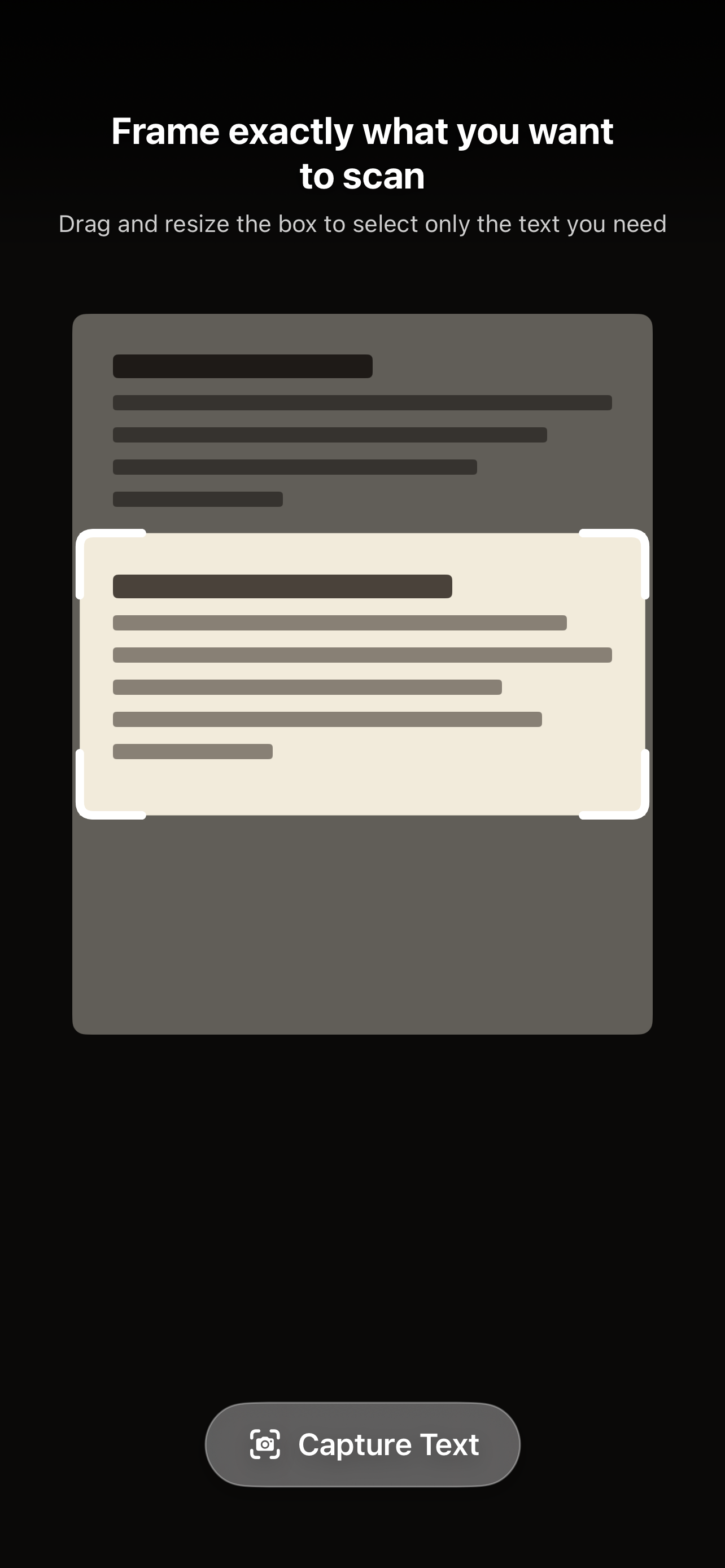
A resizable scan box sits on your live camera view. Drag it anywhere. Resize from any corner or edge to fit exactly the text you need — nothing around it.

2

Tap Capture

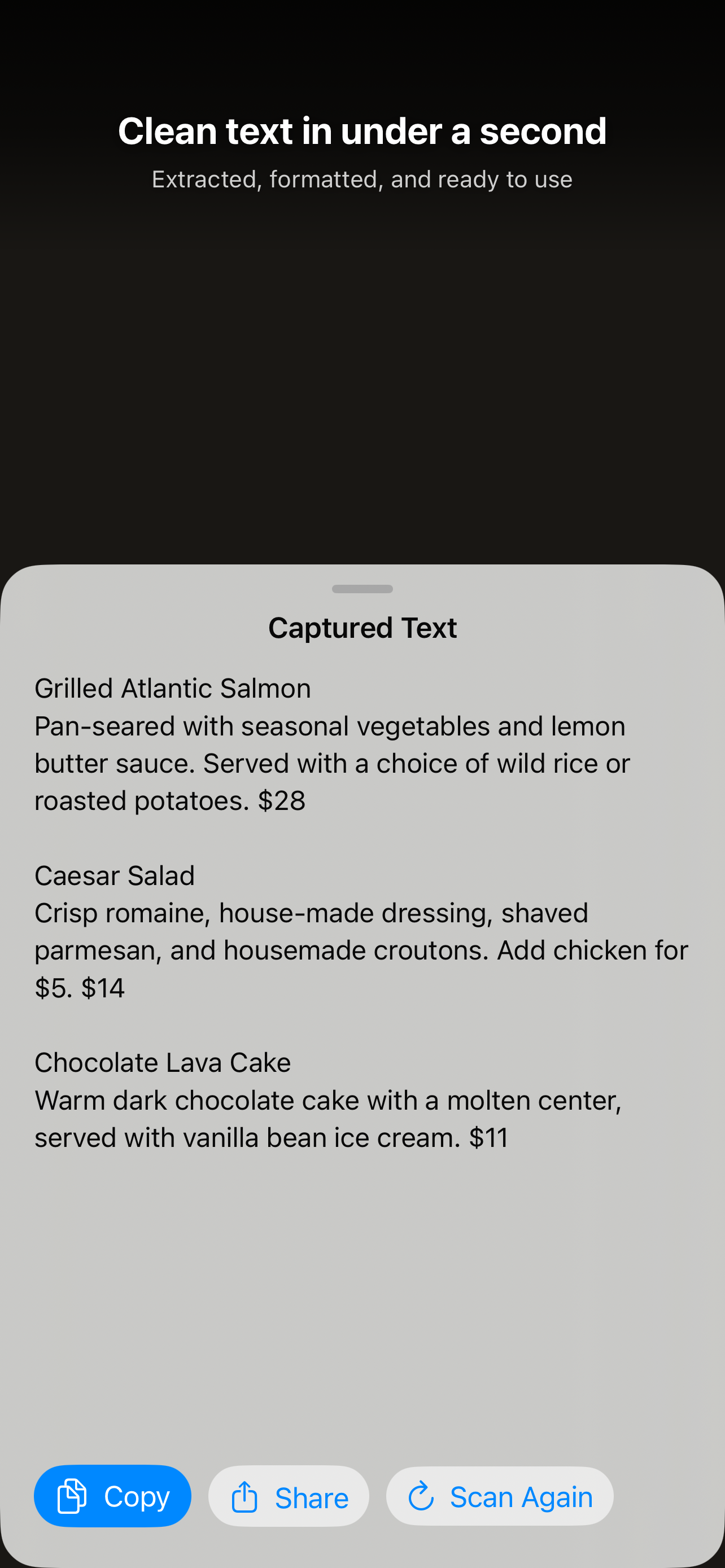
Text Scanner reads only what's inside the box using Apple's Vision framework. In under a second, your text appears — clean and in reading order.

3

Copy, share, or save

Copy to clipboard in one tap, share to any app, or let it save to your local history automatically. Every scan is there waiting when you need it.

Every screen, purpose-built.

Text Scanner scan box on live camera
Frame exactly what you wantDrag and resize the scan box
Captured text result screen
Clean text in under a secondExtracted and ready to use
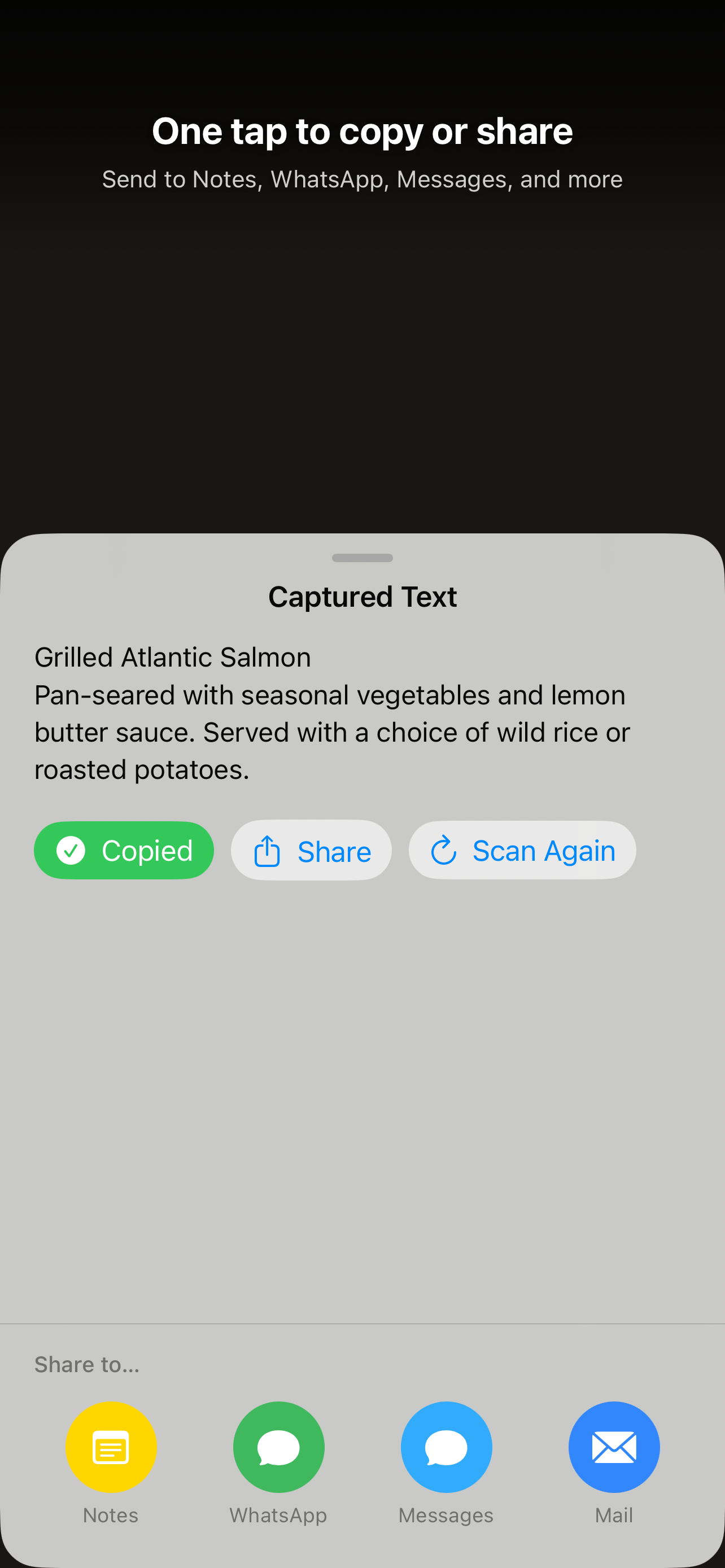
Copied confirmation and share options
One tap to copy or shareSend to any app instantly
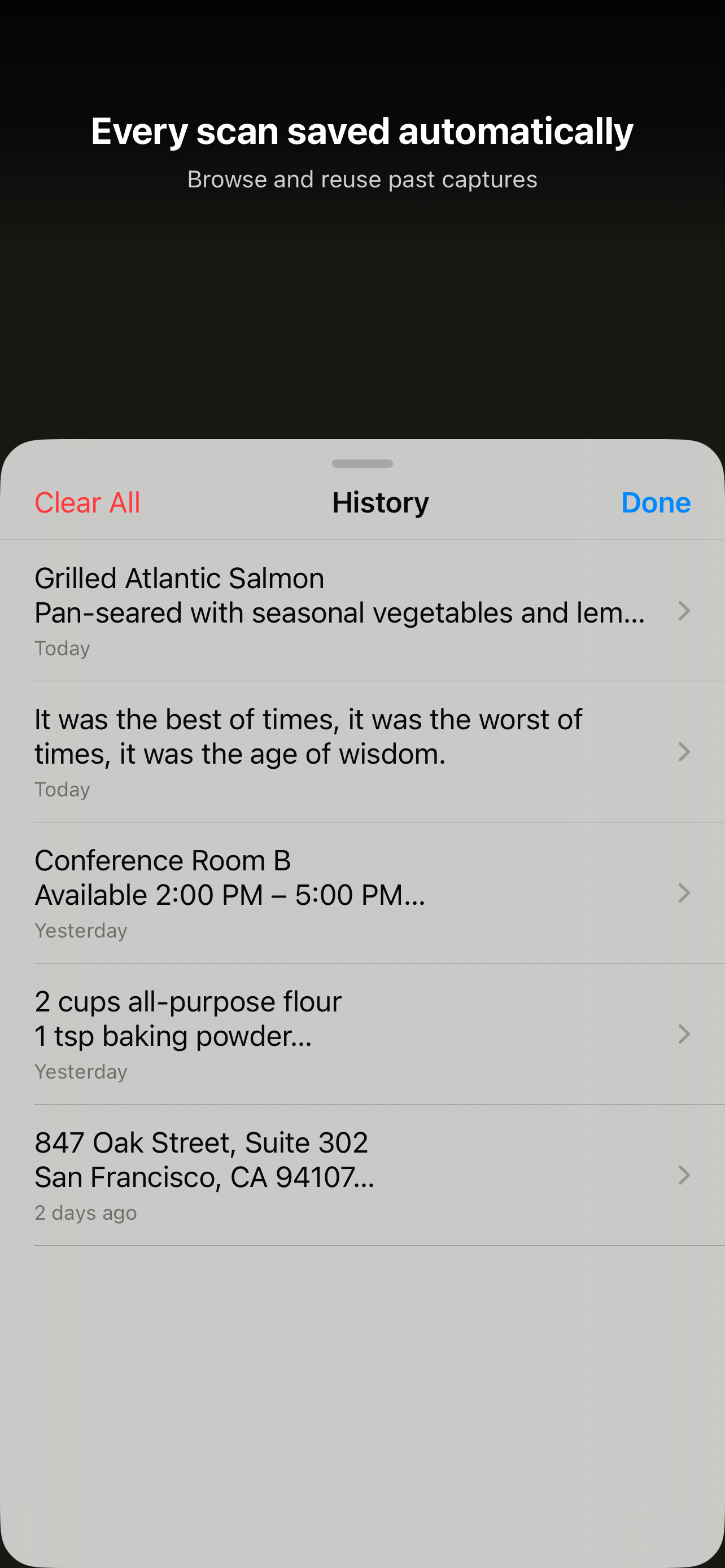
Scan history list
Every scan saved automaticallyBrowse and reuse past captures
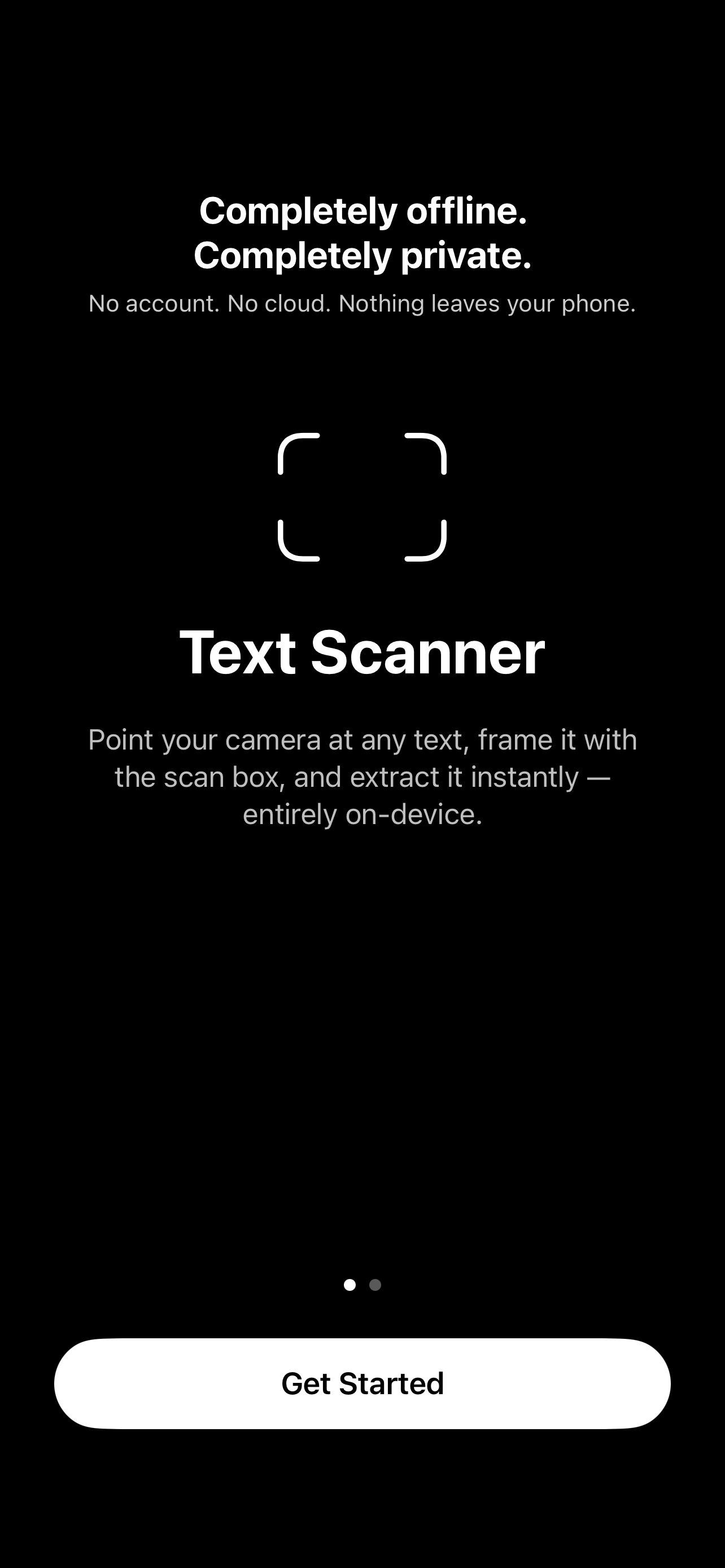
Privacy onboarding screen
Completely offline. Completely private.No account. Nothing sent anywhere.

Everything you need.
Nothing you don't.

📋

One-tap copy

Tap Copy and it's in your clipboard. That's it.

📤

Share anywhere

Send to Notes, Messages, WhatsApp, Mail — anything with the standard iOS Share Sheet.

🕐

Scan history

Every capture is saved locally. Swipe to delete entries or clear everything at once. Your data never leaves the device.

📴

No internet needed

OCR runs on-device using Apple Vision. Works on a plane, underground, anywhere.

🔐

Zero data collected

No account. No sign-in. No analytics. Camera frames are processed and immediately discarded.

📖

Interactive first-launch guide

A 3-step coach overlay shows you exactly how to use the scan box. Revisit it any time from History.

🎯

Haptic feedback

Subtle haptics confirm every capture — a medium tap on press, a success pulse when text is found.

Built to collect nothing.

Most apps tell you they care about privacy. Text Scanner was built so there's nothing to worry about in the first place.

🚫

No account

Open the app and use it. No email, no password, no sign-in screen.

📡

No internet

Zero network requests. Everything runs on your device using Apple's built-in frameworks.

🧹

Frames discarded instantly

Camera frames are used for OCR in real time and immediately thrown away. Nothing is saved as an image.

📦

History stays on-device

Scan history lives only in your app's private folder. Delete it any time. Uninstall and it's gone.

Real people. Real menus.

★★★★★

"Was at dinner last night squinting at a tiny handwritten specials board across the room. Just opened this, framed just the board, and had it copied in like 2 seconds 😂 my friend thought I was doing something illegal. Instant 5 stars."

S
sarah_m_nyc
App Store Review · March 2026
★★★★★

"Ok I'll be honest I thought this was just another scanner app but it's actually genuinely different. You frame the box FIRST, then you scan. So you only get the text you actually want. Revolutionary? Maybe not. But it should just be built into iOS at this point 🤷"

J
jo.techskeptic
App Store Review · March 2026
★★★★★

"I read a lot of physical books and I've been wanting something exactly like this for quoting passages in my notes. The scan box is 🤌 — I can grab literally one sentence if I want. No more retyping. No more half-selected text. Finally."

R
bookworm_raj
App Store Review · March 2026
★★★★★

"I expense a ton of receipts for work. The old iOS Photos way (take pic → open → long press → fight with Live Text → copy wrong amount 😤) was driving me insane. This app is just better in every single way. The history tab is such a nice bonus."

P
finance_pete_d
App Store Review · March 2026
★★★★★

"Love that there's literally zero setup. Opens straight to camera, no permission pop-ups on launch, no 'create an account to save history' nonsense. Just works. That's all I wanted. Rare to say that about an app these days."

M
minimalist_maya
App Store Review · March 2026
★★★★★

"Was scanning a nutrition label in the supermarket. Needed just the ingredients, not the entire packaging text. Resized the box to exactly that section and done. No idea how I'd do this with anything else. 10/10 use it literally every week 🛒"

A
amara_eats
App Store Review · March 2026

Stop fighting with your camera.
Just scan it.

Free. No account. Works instantly.

Download on the App Store

iPhone · iOS 15 or later · Free